A reference is more useful when you can see how it connects to an idea.
URef is Jesus Conde’s workspace for bringing reference material and notes together. Its official product page introduces image tools, drawing and writing features, and ways to connect items across a board.
Build a board around a question
Instead of gathering everything you like, try collecting references for one painting decision: the lighting of a room, the construction of a costume, or the colour relationships in a scene. Add notes explaining what you want to learn from each reference.
The product is in beta. Visit its official page for current features, known limitations, tutorials and purchase information.
Explore URef ↗Our product: URef is made by Jesus Conde, the creator of this publication.
See the tools in context
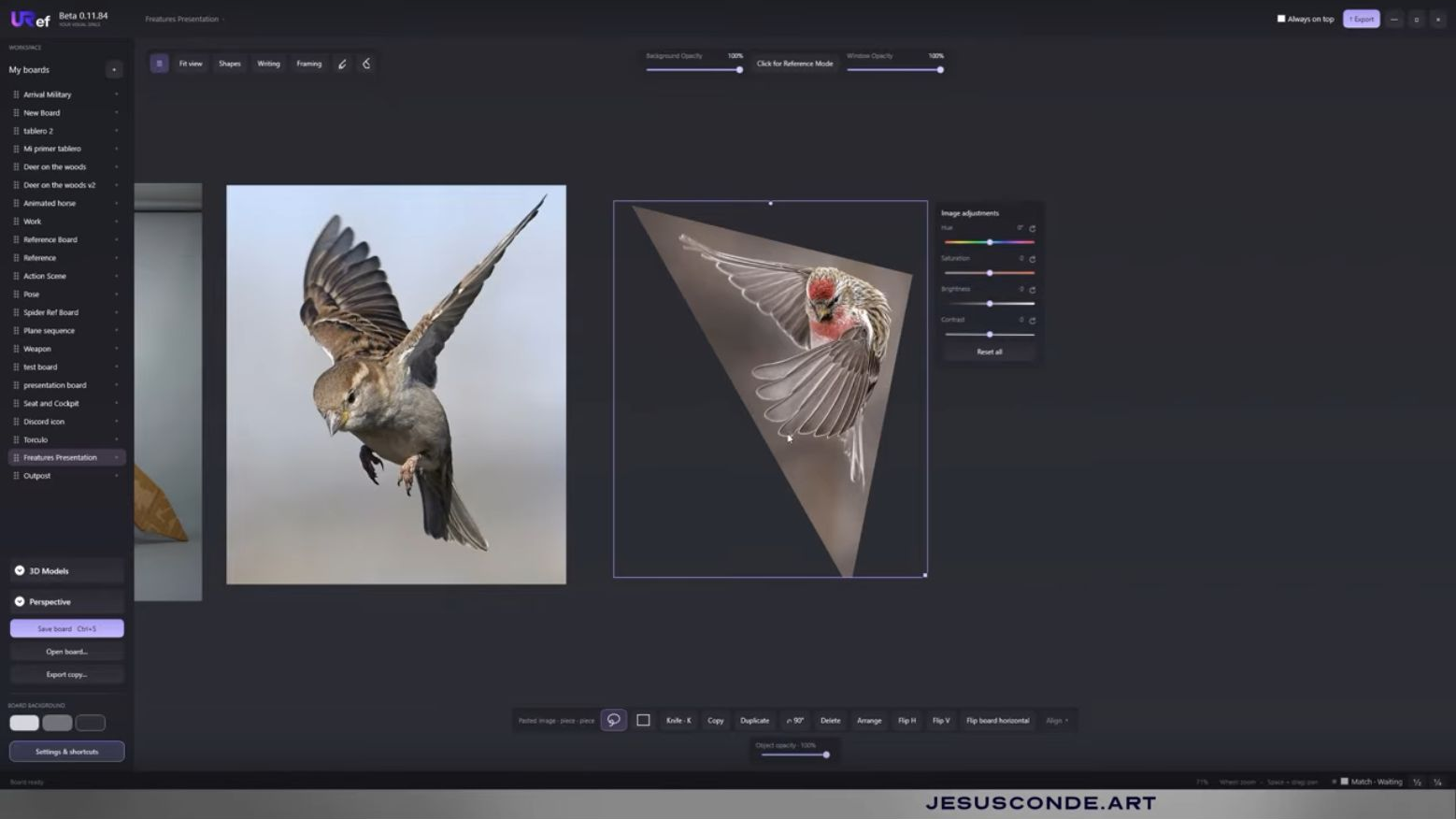
The image above is an actual frame from Jesus Conde’s image-tools walkthrough, showing reference photographs on a board with image adjustments. The demonstration covers Lasso, Knife and Photoshop synchronisation. Watch it to understand the sequence of actions rather than judge the tool from a static logo.
This tutorial shows Beta 0.11.84. The product page now lists Beta 0.11.99, including changes to vectors, text layout and update notices. Check its release notes for current features and known issues.
Watch the image-tools tutorial ↗
Our product: URef is made by Jesus Conde, founder of this publication. This is a product introduction, not an independent review.