Materials can do more than make a concept painting look expensive. They can suggest how a person lives, what a place produces and which objects have outlasted their original purpose. Blender Studio's Charge, released on December 15, 2022, is a compact case study in that connection. Its production pursued heightened realism and an interactive physically based rendering workflow, using EEVEE throughout. The premiere notes describe that production goal.
Start with a person, then choose surfaces
The studio's character page describes Einar as an Icelandic tinkerer who has made his home, clothes and robotic left arm from scavenged materials. That gives a concept artist more useful direction than a vague request for a gritty science-fiction setting. Resourcefulness, repair and reuse can guide both large shapes and small surface decisions. Read Einar's official character notes.
Our editorial interpretation is that a repaired object should reveal a sequence of choices. Which component was worth saving? Which replacement was available? Where would the owner put a grip, patch or hinge? Those questions can produce a convincing prop without covering every square centimetre with random damage.
A real material library to inspect
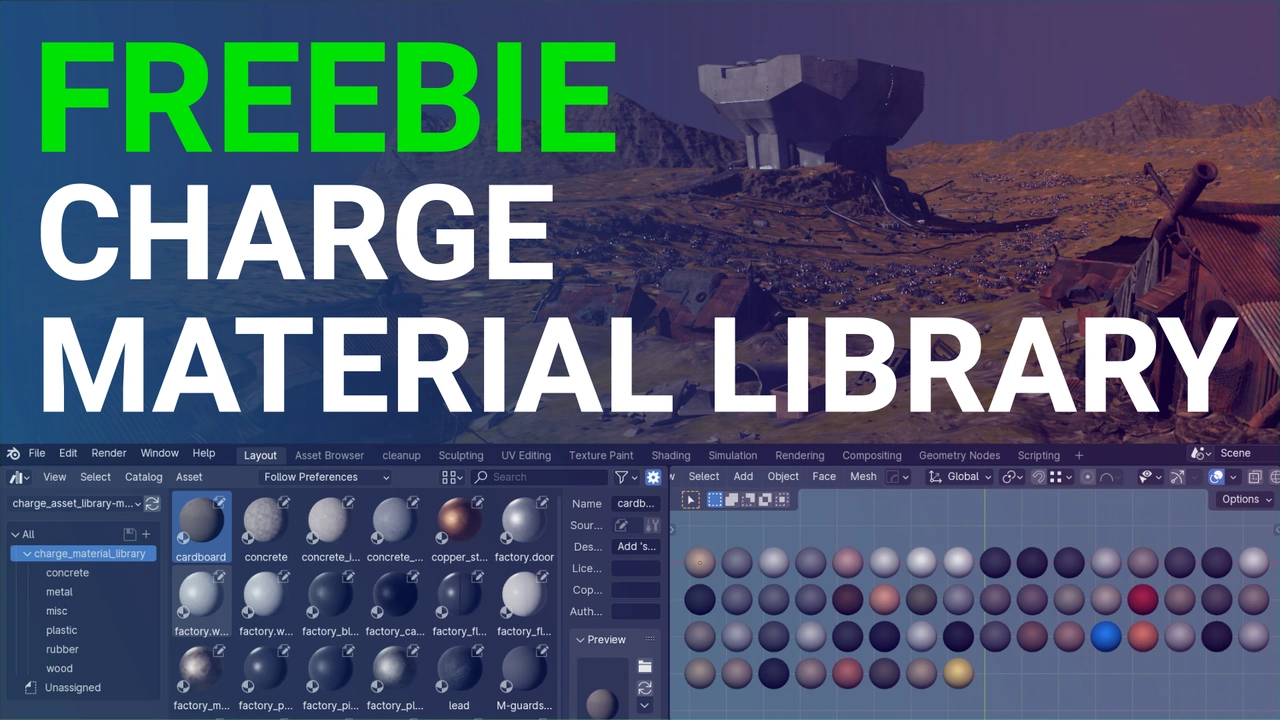
Blender Studio also published a free Charge material asset library, developed by Simon Thommes. Its release notes say the collection was tested in Blender 4.1 and made specifically for EEVEE. The accompanying preview shows categories including concrete, metal, plastic, rubber and wood. Treat that as the compatibility information for an archived resource, not a guarantee about every later Blender release. Find the library and its original instructions.
For a painter, a useful way to study the preview is to compare surface families under similar conditions. A rubber grip, painted housing and exposed metal edge should not receive identical highlights. The point is to establish a visual vocabulary that explains the object, rather than collect textures without deciding what they mean.
Try a material-history sheet
Editorial exercise: design a portable lamp belonging to someone who repairs equipment for a living. Make three versions with the same silhouette: recently manufactured, carefully maintained and repeatedly rebuilt. Give each version a short history in one sentence before you paint it.
Use only three material families. Place wear where handling, contact or weather would plausibly cause it. Add one repair that changes the construction: a replacement handle, a bracket or a mismatched panel. Keep the light direction identical across all three drawings so the comparison remains useful.
At the end, hide your written descriptions. Can another reader distinguish the histories from the images alone? If all three simply look dirty, move the differences into construction, edges and material contrast. That makes the study relevant to characters, environments and props, whether your final image is painted or rendered.