Sometimes an environment drawing stalls because you are trying to solve composition, perspective and detail at the same time. Grease Pencil offers a way to separate those decisions: place simple objects in a scene, choose a camera and draw where the design needs more information. A useful documented example is Matias Mendiola's Drawing and Layout in the 3D Space, part of Blender Studio's free Grease Pencil Fundamentals course.
A drawing can have a location
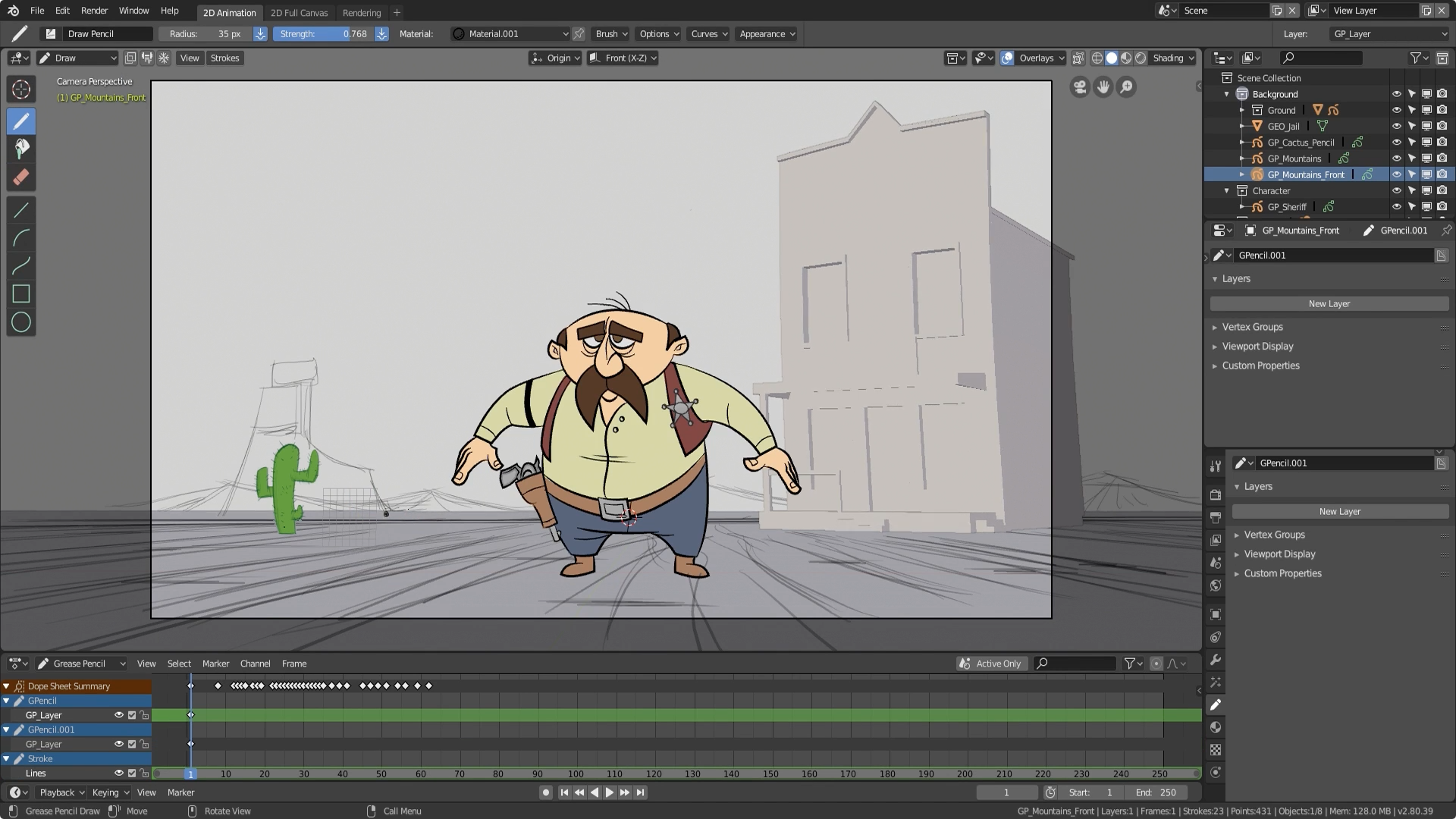
Mendiola's lesson combines a drawn sheriff, a basic building mesh and additional scenery. He positions the elements and camera, sketches ground lines, adds mountains and clouds at different depths, and uses surface placement to draw over the building. Rough placement comes before finished drawings. The screenshot above belongs to this Blender 2.8-era lesson; its interface should not be mistaken for the current version. Watch the original lesson.
For an environment painter, the interesting step is the switch between placing objects and placing marks. The building supplies a stable volume. Drawing supplies decisions that a plain block does not explain yet: a facade rhythm, a sign, the shape of a roofline or a more characterful edge.
Placement and orientation are different choices
Blender's Stroke Placement documentation distinguishes strokes located at the object origin, at the 3D cursor, on a mesh surface or on other strokes. Surface placement includes an offset from the mesh. Changing the placement setting affects new strokes, rather than moving the ones already drawn. Separately, the drawing plane controls the orientation in which you draw. Read the versioned Stroke Placement reference.
That distinction helps diagnose a common conceptual mistake: a sketch may appear correct from one camera while occupying an unexpected position in space. Before building up detail, orbit the view briefly and check where the lines actually sit. Return to the intended camera to judge the composition.
Try one room and three camera ideas
Editorial exercise: make a simple workshop from a floor, two walls and a table. Use basic volumes only. Choose three camera positions that imply different stories: someone entering, someone searching and someone hiding. Save an image of each rough arrangement before selecting one.
Draw over the chosen setup to suggest shelves, tools and a light fixture. Give each addition a purpose in the composition. Keep distant clutter quieter than the object that carries the story, and avoid modeling details that the camera cannot use.
For a final comparison, export a view and make a small paintover in your preferred painting application. Note which problems the blockout solved and which still required drawing judgment. This is an exercise in testing space and composition; it does not require turning every illustration into a fully finished 3D scene. Start a fresh file in your installed Blender version, since old tutorial assets and controls may differ.